Introduction#
Public clouds such as AWS, Azure, and Google Cloud are very convenient, but they are expensive for personal use. (Good for poor students) I want a cloud that is free for life and can be used as much as I want.
**You can just make it yourself! **
So I tried creating a public cloud myself.
The system configuration is roughly as shown in the figure below (Figure by Gemini).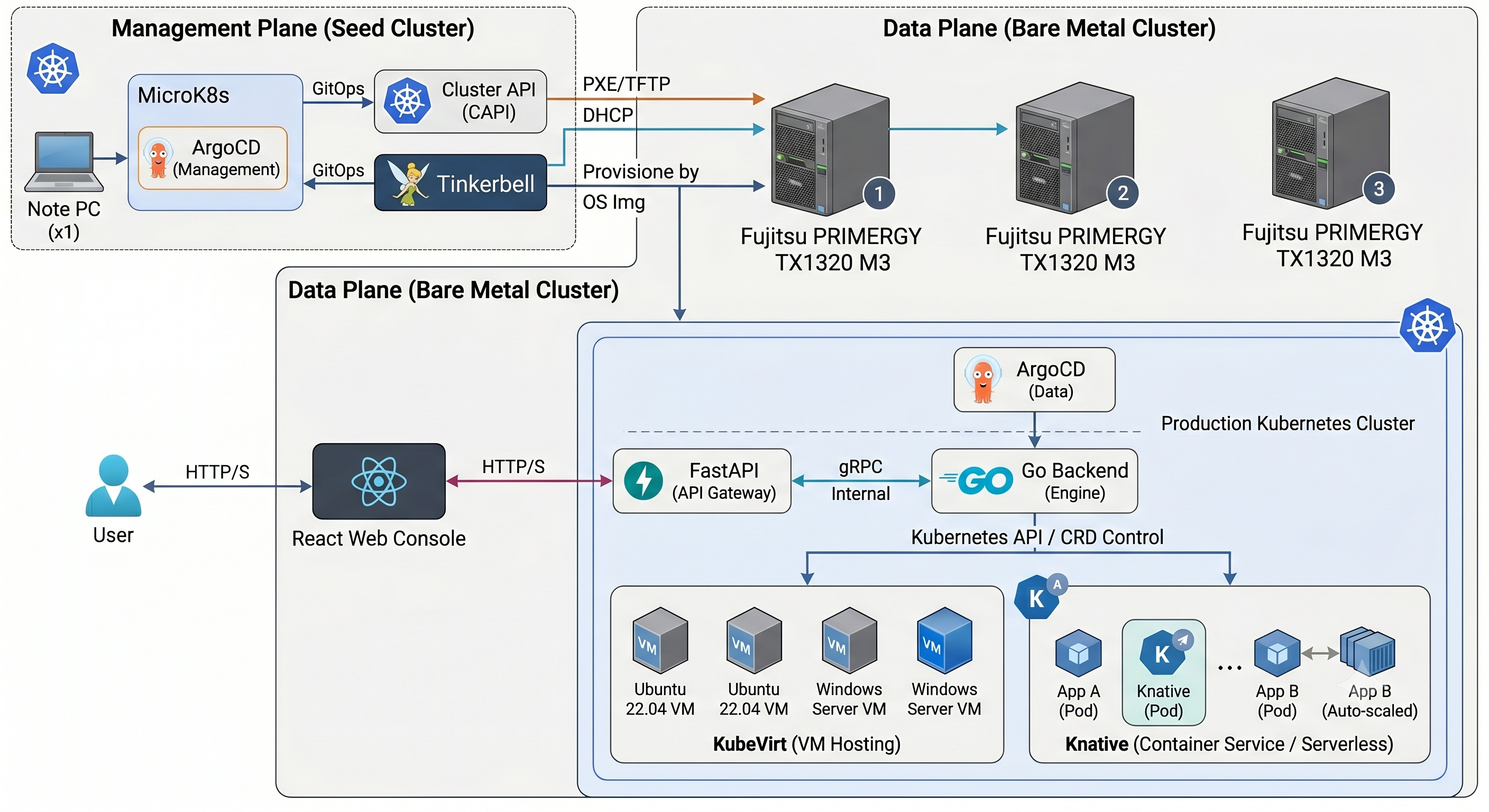
Advertisement#
This is a portfolio site operated using a self-made cloud container service (ECS style). https://daigo-suhara.com
Phase 1: Kubernetes cluster automatic construction#
We decided to use Kubernetes as the foundation. However, building a cluster on bare metal is a pain, so we made it possible to build a cluster automatically.
Specifically, I use software called Tinkerbell. This will automatically install an OS that includes only the minimum packages necessary for cluster construction (kubeadm, etc.) from a state where the storage is empty and the power is off. (Tinkerbell: automatically provisions the OS and initial settings on bare metal via ipxe) Furthermore, by using ClusterAPI Provider Tinkerbell, cluster construction work after OS provisioning can be automated.
I installed argocd on a cluster created with microk8s on my laptop and built a tinkerbell environment as an argocd resource.
Phase 2: Creation of cloud core system#
First of all, the current situation is
- Authentication system (IAM-like)
- Tenant
- Container service (ECS)
- Virtual machine (EC2) *WEB console *API
has been created.
Each internal system is separated as a grpc server, and ArgoCD calls what is containerized using GitHub Actions and pushed to the oci registry. (*API is FastAPI, web console is made by React)
About container services#
The base is running on knative. It is operated using a Go system based on instructions from FastAPI.
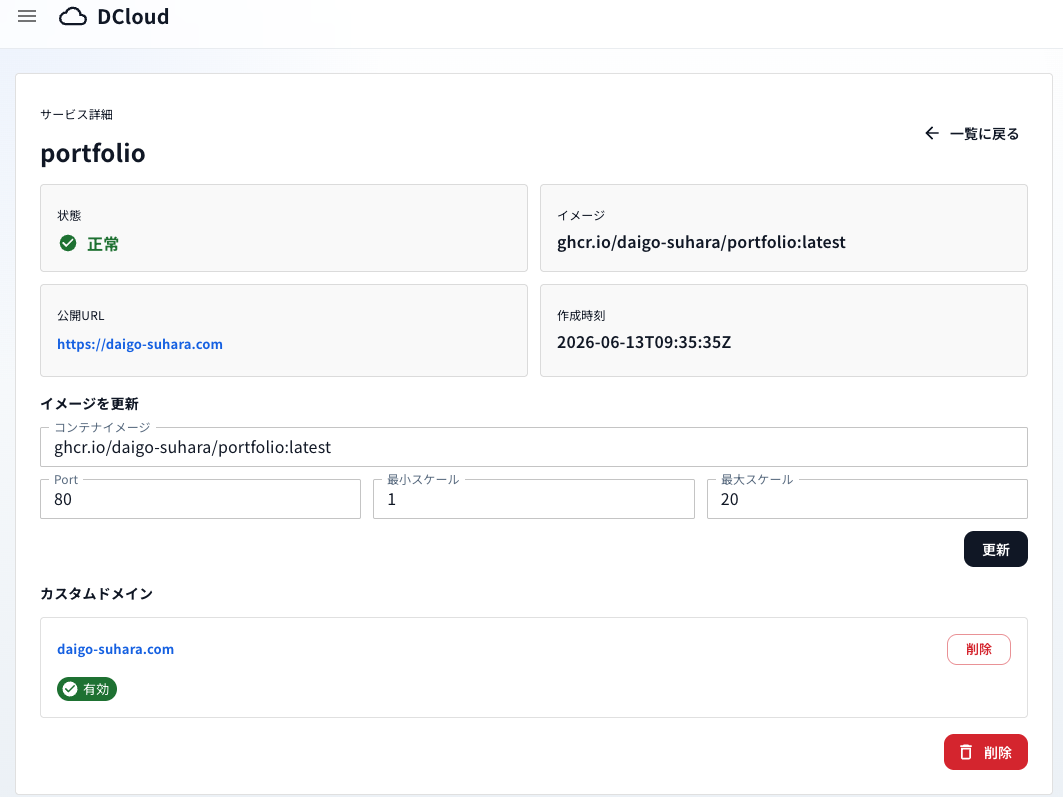
You can autoscale, specify container image URL, etc. Continuous deployment functionality from source code has not yet been developed.
It also supports domain mapping, providing a public URL in the form <service-id>.drkatana.com. You can also configure a custom domain using a CNAME record.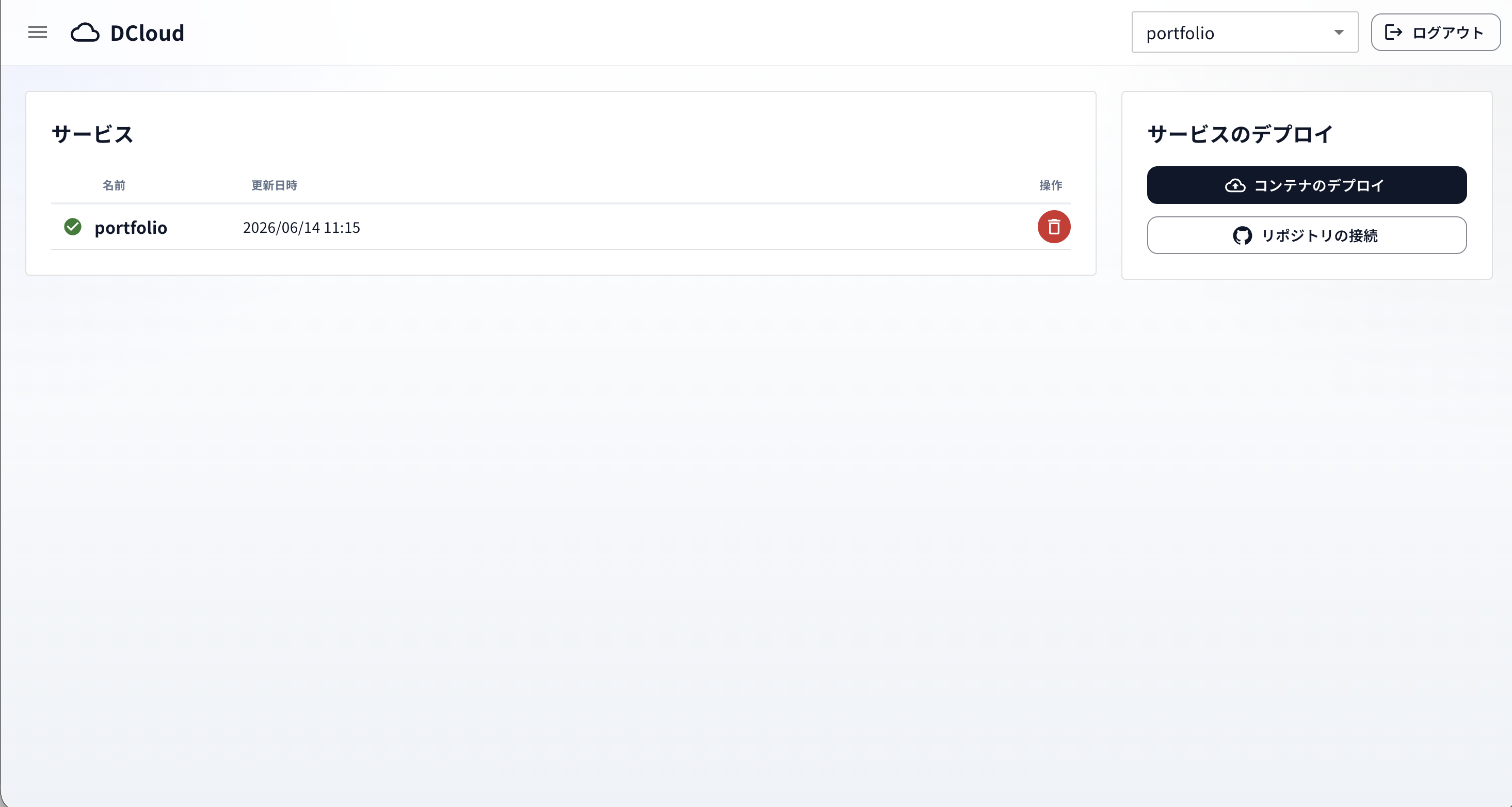
About virtual machines#
The platform is running on kubevirt. In addition to templates such as ubuntu, fedora, and debian, you can also specify custom oci images. You can specify the number of cores and memory and operate from the console screen.
The console screen is implemented using websocket and xterm.js.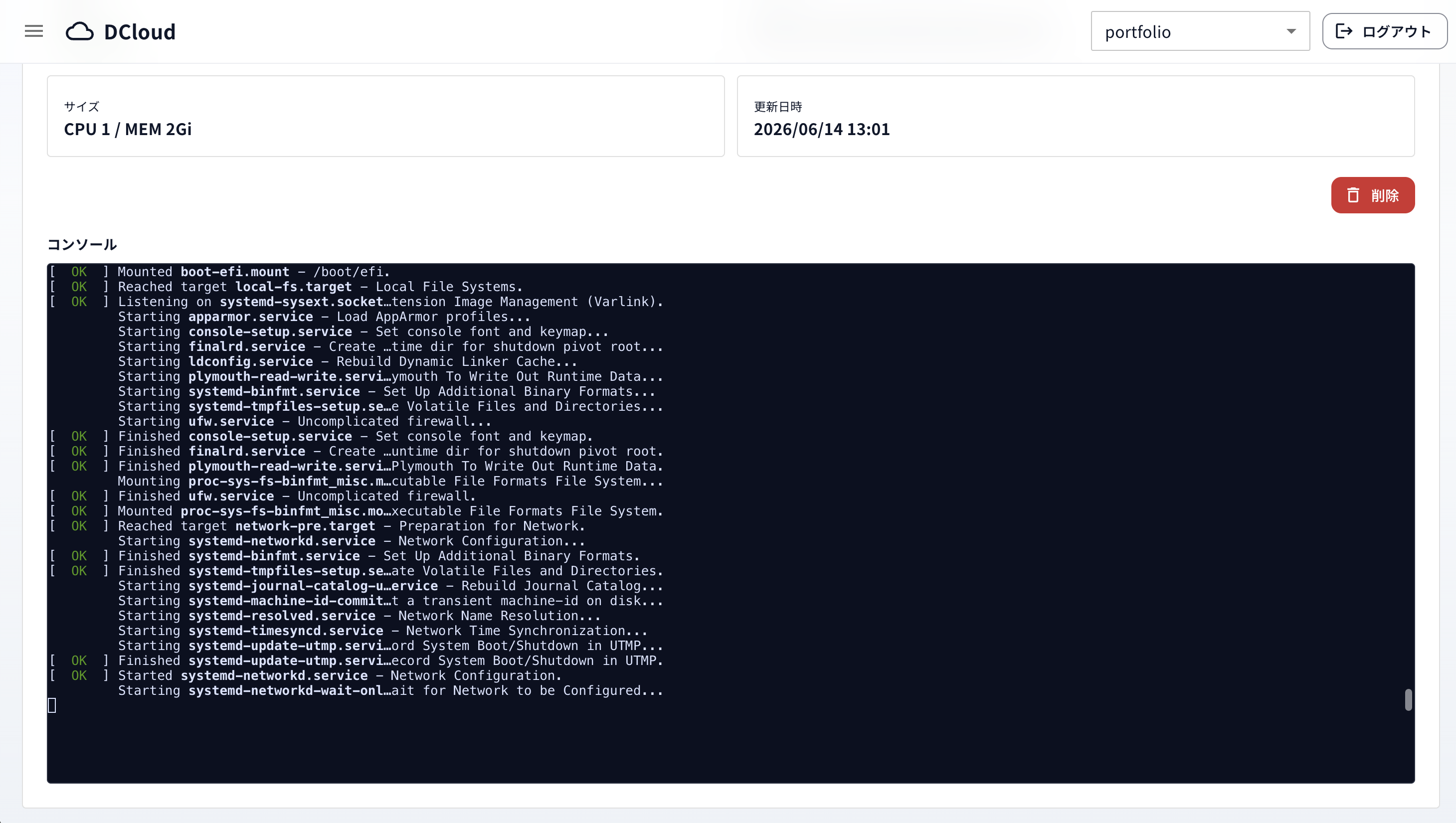
Conclusion#
It’s easier to use an OSS such as OpenStack to create your own cloud, but building one from scratch was both educational and fun, so much so that I ended up losing track of time and staying up all night.I really hope more people create their own clouds.
Acknowledgments#
I would like to thank Codex for doing much of the coding work to implement my crazy architecture during this development work.