
Introduction#
I received a Fujitsu business server, and I want to install proxmox, but for some reason the disk is not recognized? So I’ll make a note of how I solved it.
Cause#
Because IOMMU strictly remaps physical and virtual addresses, it may conflict with DMA transfers expected by some MegaRAID controllers. By the way, it seems to work depending on the OS.
Solution#
When installing proxmox, press the e key on the installation method selection screen to jump to the grub editing screen, leave a space at the end of the line that says linux,
intel_iommu=offAfter adding this and confirming with F10, I was able to install normally.
Alternatively, you can permanently turn off iommu by going to UEFI and setting Advanced -> CPU Configuration -> VT-d to Disabled. (After this, a MegaRAID cache error occurred, so I pressed the X key at something like health check from UEFI and it was fixed.)
If you don’t want to use RAID (if you want to use a single disk)#
By switching to JBOD Mode, the disk is recognized as is.
At UEFI Advanced -> AVAGO MegaRAID -> Main Menu -> Controller Manegement -> Advanced Controller Properties -> Change JBOD Mode to Enabled -> Apply Changes
What I tried 1#
I took the RAID card out of my motherboard.
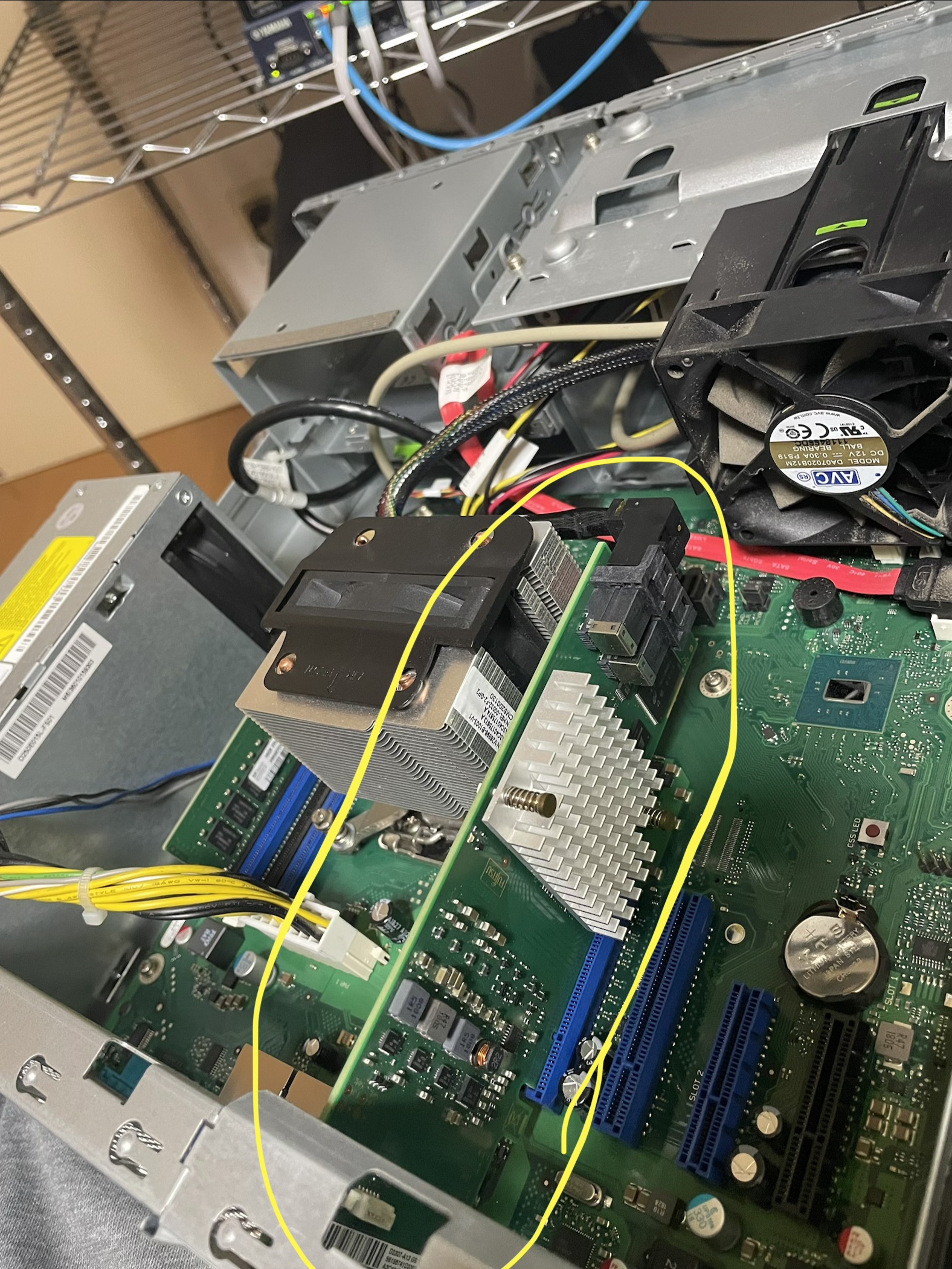
Even if I insert the SAS in the hdd case into the motherboard, it doesn’t seem to recognize it, and I need to convert SAS to SATA, so it doesn’t recognize it either way (although the RAID cache error is gone).
What I tried 2#
I set up Raid0 with the number of storages (2 pieces).
At UEFI Advanced -> AVAGO MegaRAID -> Configure -> Create Virtual Drive Then select raid0, select only one drive, and do apply twice.
But it didn’t work
Appendix (Error screen)#
Error that keeps appearing after cleaning the RAID containing Windows Server#
L2/L3 Cache error was detected on the RAID controller.
Please contact technical support to resolve this issue.
Press 'X' to continue or else power off the system, replace the controller and reboot.
Enter Your Input Here:
Error when trying to install OS#
[   78.431957] megaraid_sas 0000:01:00.0: megasas_get_ld_map_info DCMD timed out, RAID map is disabled
[   78.433510] megaraid_sas 0000:01:00.0: megasas_enable_intr_fusion is called outbound_intr_mask:0x40000000
[   78.434796] megaraid_sas 0000:01:00.0: INIT adapter done
Timed out for waiting the udev queue being empty.
Begin: Loading essential drivers ... [  121.164801] raid6: avx2x4   gen() 41207 MB/s
[  121.181805] raid6: avx2x2   gen() 40382 MB/s
[  121.198804] raid6: avx2x1   gen() 32882 MB/s
[  121.199111] raid6: using algorithm avx2x4 gen() 41207 MB/s
[  121.215805] raid6: .... xor() 13554 MB/s, rmw enabled
[  121.216100] raid6: using avx2x2 recovery algorithm
[  121.217759] xor: automatically using best checksumming function   avx
[  121.219041] async_tx: api initialized (async)
done.
Begin: Running /scripts/init-premount ... Timed out for waiting the udev queue being empty.
done.
Begin: Mounting root file system ... Begin: Running /scripts/local-top ... Begin: Waiting up to 180 secs for BOOTIF to become available ... _